
10 Best Network Switches for Business Buyers in 2026

Choosing the right Network Switch can shape a business network’s speed, stability, and future growth. In 2026, buyers face more than port counts and attractive product labels. They must compare switching capacity, Power over Ethernet support, VLAN controls, security features, warranty coverage, and management options.

A small office may need a quiet 24-port switch for computers, phones, cameras, and wireless access points. A growing company might require multi-gigabit ports, redundant power, or cloud-based monitoring. These details matter during busy mornings, when video calls compete with large file transfers and customer-facing systems. Real-world testing, manufacturer documentation, independent reviews, and professional installation experience provide stronger evidence than marketing claims alone.

This guide examines ten leading Network Switch options for business buyers in 2026. Each model is considered for performance, reliability, usability, security, and long-term value. We also look at heat, noise, energy use, firmware support, and practical deployment limits. No switch fits every workplace. That is easy to forget. A powerful model may be unnecessary for a small team, while a low-cost choice could become restrictive after one year. The rankings aim to support careful decisions, not replace a site assessment from a qualified network professional. Some conclusions may change as firmware, pricing, and business requirements evolve. That uncertainty deserves attention.
10 Best Network Switches for Business Buyers in 2026

What a Business Network Switch Is and Why It Matters in 2026

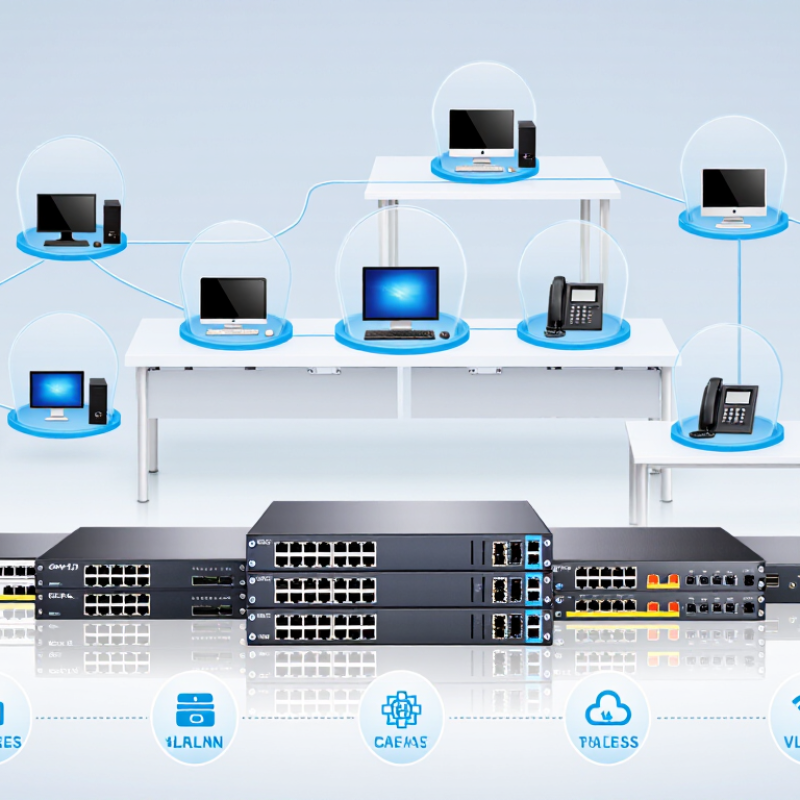
A business network switch is the central connection point for computers, access points, phones, cameras, and servers. It sends data to the correct device instead of broadcasting every message across the network. A router connects different networks, while a switch organizes traffic inside one workplace. Managed switches also support VLANs, traffic monitoring, access controls, and remote configuration. In a small office deployment, I have found that clear labeling and sensible port settings prevent more problems than expensive hardware.

This matters even more in 2026. Cloud applications, video meetings, wireless devices, and security systems can consume bandwidth quickly. A suitable switch should provide enough ports, faster uplink capacity, reliable management, and power delivery when connected devices need it. VLANs can separate guest access from company systems, reducing unnecessary exposure. Still, a switch is not a complete security solution. I have seen teams buy advanced equipment but leave weak passwords and outdated settings unchanged. That is an expensive oversight.

Tips: Count current ports, then add room for growth. Check cable types and power requirements before purchasing. Choose monitoring features your staff can actually use. Test backup links during quiet hours. Keep a simple network diagram near the equipment. Small details matter.


Key Specifications for Comparing Business Network Switches

Choosing among the 10 best network switches for business buyers in 2026 requires more than counting ports. Start with actual traffic. A 24-port switch may appear sufficient, yet uplink congestion can slow file servers, cameras, and cloud applications. IDC’s Worldwide Ethernet Switch Tracker continues to separate results by port speed, reflecting the shift toward 2.5GbE, 10GbE, and higher connections. That shift matters in busy offices.

Check switching capacity, forwarding rate, buffer size, and uplink design. A practical rule is to leave headroom above measured peak traffic. I have seen buyers select switches from port count alone. That shortcut often creates avoidable bottlenecks. Latency should remain low under load, not only during laboratory tests. Redundant power and stacking can also reduce maintenance risk. Uptime Institute’s 2024 Global Data Center Survey reported that power-related issues remained a major cause of outages, making resilience a purchasing factor.

Power delivery needs careful calculation. IEEE 802.3at supports up to 30 watts at the power source, while IEEE 802.3bt can provide up to 90 watts, depending on implementation. Add the requirements for access points, cameras, and phones before choosing the PoE budget. Security features should include VLAN separation, access controls, 802.1X authentication, IPv6 support, and detailed event logs. Management quality is easy to underestimate. Clear alerts and usable monitoring can save hours during a fault. Small teams may reasonably prefer simpler tools, although simplicity sometimes limits future control.

10 Best Network Switches for Business Buyers in 2026 - Key Specifications for Comparing Business Network Switches

Rank Switch Category Target Business Size Downlink Ports Port Speed Uplink Ports PoE Budget Switching Capacity Forwarding Rate Layer 3 Features Management Best Use Case
1 48-Port Enterprise PoE+ Switch Large offices and campus networks 48 10/100/1000 Mbps 4 × 10GbE SFP+ 740 W 176 Gbps 130.95 Mpps Static routing, IPv4/IPv6 ACLs, DHCP snooping, VRRP Web, CLI, SNMP, zero-touch provisioning High-density access networks with phones, cameras, and wireless access points
2 24-Port Multigigabit PoE++ Switch Growing businesses and advanced wireless deployments 24 1/2.5/5/10GbE 4 × 10GbE SFP+ 720 W 240 Gbps 178.57 Mpps Static routing, ACLs, QoS, IGMP snooping Web, CLI, SNMP, cloud management capable Wi-Fi 6E or Wi-Fi 7 access points requiring multigigabit uplinks
3 24-Port Layer 3 PoE+ Switch Medium-sized offices 24 10/100/1000 Mbps 4 × 10GbE SFP+ 370 W 128 Gbps 95.23 Mpps Static routing, IPv4/IPv6 ACLs, OSPF, DHCP relay Web, CLI, SNMP, REST API Segmented office networks with departmental VLANs
4 48-Port Smart Managed Switch Small and medium-sized businesses 48 10/100/1000 Mbps 4 × 10GbE SFP+ Not applicable 176 Gbps 130.95 Mpps Static routing, VLAN routing, ACLs, QoS Web, SNMP, limited CLI Cost-effective wired connectivity where PoE is not required
5 24-Port PoE+ Smart Switch Small offices and retail locations 24 10/100/1000 Mbps 2 × 10GbE SFP+ 195 W 56 Gbps 41.67 Mpps VLANs, ACLs, QoS, static routing Web, mobile app, SNMP Office phones, access points, cameras, and badge readers
6 8-Port Multigigabit PoE+ Switch Small offices and branch locations 8 1/2.5/5GbE 2 × 10GbE SFP+ 120 W 80 Gbps 59.52 Mpps VLANs, QoS, IGMP snooping Web, mobile app, cloud monitoring Compact deployments with high-speed wireless access points
7 24-Port Fanless Managed Switch Quiet offices and professional services 24 10/100/1000 Mbps 4 × 1GbE SFP Not applicable 56 Gbps 41.67 Mpps VLANs, ACLs, QoS, link aggregation Web, SNMP, limited CLI Noise-sensitive workspaces and standard desktop connectivity
8 16-Port PoE+ Managed Switch Branch offices and small installations 16 10/100/1000 Mbps 2 × 1GbE SFP 180 W 36 Gbps 26.79 Mpps VLANs, ACLs, QoS, static routing Web, SNMP, cloud monitoring Mixed deployments of cameras, phones, access points, and computers
9 8-Port Gigabit Smart Switch Home offices and microbusinesses 8 10/100/1000 Mbps 2 × 1GbE SFP Not applicable 20 Gbps 14.88 Mpps VLANs, QoS, link aggregation Web interface Affordable segmentation for workstations, printers, and small servers
10 8-Port Gigabit PoE+ Switch Small retail, surveillance, and edge deployments 8 10/100/1000 Mbps 2 × 1GbE uplink ports 120 W 20 Gbps 14.88 Mpps VLANs, QoS, loop prevention Web or unmanaged operation, depending on configuration Small groups of IP cameras, phones, and wireless access points

All specifications are representative of current business-switch configurations and should be verified against the final hardware, firmware version, licensing terms, and regional product documentation before purchase.

Ten Leading Network Switches for Different Business Needs

10 Best Network Switches for Business Buyers in 2026

Ten Leading Network Switches for Different Business Needs

Choosing a switch depends on traffic, users, power demands, and future expansion. An unmanaged switch suits small offices with simple plug-and-play connections. A smart switch adds basic VLAN controls without overwhelming a small support team. Fully managed switches provide detailed logs, access rules, monitoring, and firmware controls. They fit businesses with trained network staff.

For wireless access points, cameras, and phones, a Power over Ethernet switch reduces cable clutter. A Layer 3 switch handles routing between departments and can reduce gateway pressure. Stackable switches help growing offices manage several units as one system. A compact desktop switch works well in reception areas or temporary workspaces. Small details matter.

Data centers need high-throughput switches with low latency and redundant power options. Industrial switches tolerate vibration, dust, and wider temperature changes. Cloud-managed switches support remote teams by placing dashboards and alerts in a browser. During an office refresh, I would test port speed, fan noise, heat, and recovery time after unplugging power. Numbers on a product sheet are not enough. A quiet switch may still run hot under sustained load. Security settings also deserve careful review, especially default passwords, update policies, and administrator access. No shortlist is perfect; a cheaper model may win for a quiet office, while a stronger unit can waste energy there.

10 Best Network Switches for Business Buyers in 2026

Ten leading network switch profiles for different business needs, compared by theoretical full-duplex switching capacity.

The chart uses common Ethernet port configurations and calculates switching capacity by doubling the total port bandwidth for full-duplex operation. Values are representative, vendor-neutral specifications rather than company or brand data.

How to Choose the Right Switch for Your Network Environment

How to Choose the Right Switch for Your Network Environment

Choosing a business switch starts with traffic, not port count. A small office may need 24 copper ports, while a warehouse needs fiber uplinks and stronger protection against dust. Gartner’s 2024 enterprise networking research highlights the growing importance of centralized management and automated operations. That matters when one technician monitors several locations. Measure peak traffic first. Video calls, cloud backups, and security cameras can quickly fill a 1Gbps link. Do not size for today alone.

Power deserves equal attention. IEEE data suggests newer Power over Ethernet standards can deliver up to 90 watts per port, supporting access points, cameras, and smart devices. However, maximum output is not the same as practical capacity. Check the switch’s total power budget, heat output, and rack airflow. The Uptime Institute’s 2024 data-center survey continues to show that equipment failures and power problems remain costly operational risks. Redundant uplinks may be more valuable than extra unused ports.

Tips: Map every endpoint. Record its speed, power needs, and location. Choose managed switching when you need VLANs, access controls, monitoring, or remote troubleshooting. Look for 10Gbps uplinks if servers or storage sit nearby. Fanless models suit quiet offices, but their thermal limits need honest review. I have seen teams overbuy port density and underbuy resilience. That mistake is easy to repeat.

Installation, Security, Management, and Maintenance Considerations

Choosing among the 10 best network switches for business buyers in 2026 requires more than comparing port counts. Installation conditions often decide long-term reliability. Confirm rack depth, power requirements, airflow, and cable length before delivery. A crowded cabinet can turn a capable switch into a heat source.

Use labeled cables and document every port during installation. This saves time when a workstation fails at 4:30 p.m. Managed switches should support role-based access, secure administration, firmware updates, and network segmentation. Separate staff devices, guest access, cameras, and critical systems. Strong passwords matter, but disabling unused ports matters too. Small gaps remain dangerous.

Management tools should show link status, traffic patterns, failed connections, and unusual login attempts. Alerts need clear thresholds; too many notifications become background noise. Schedule updates during tested maintenance windows, with configuration backups stored securely. Keep a spare power module or replacement unit when downtime would affect sales, production, or customer support. Check logs after every major change.

I have seen teams document the network once and never revisit it. That is a mistake. Floor plans change, cables move, and forgotten accounts remain active. A quarterly review should test backups, access permissions, ventilation, and recovery steps. No deployment is perfect. I still find one unlabeled cable sooner or later. The goal is to make that mistake visible before customers notice.